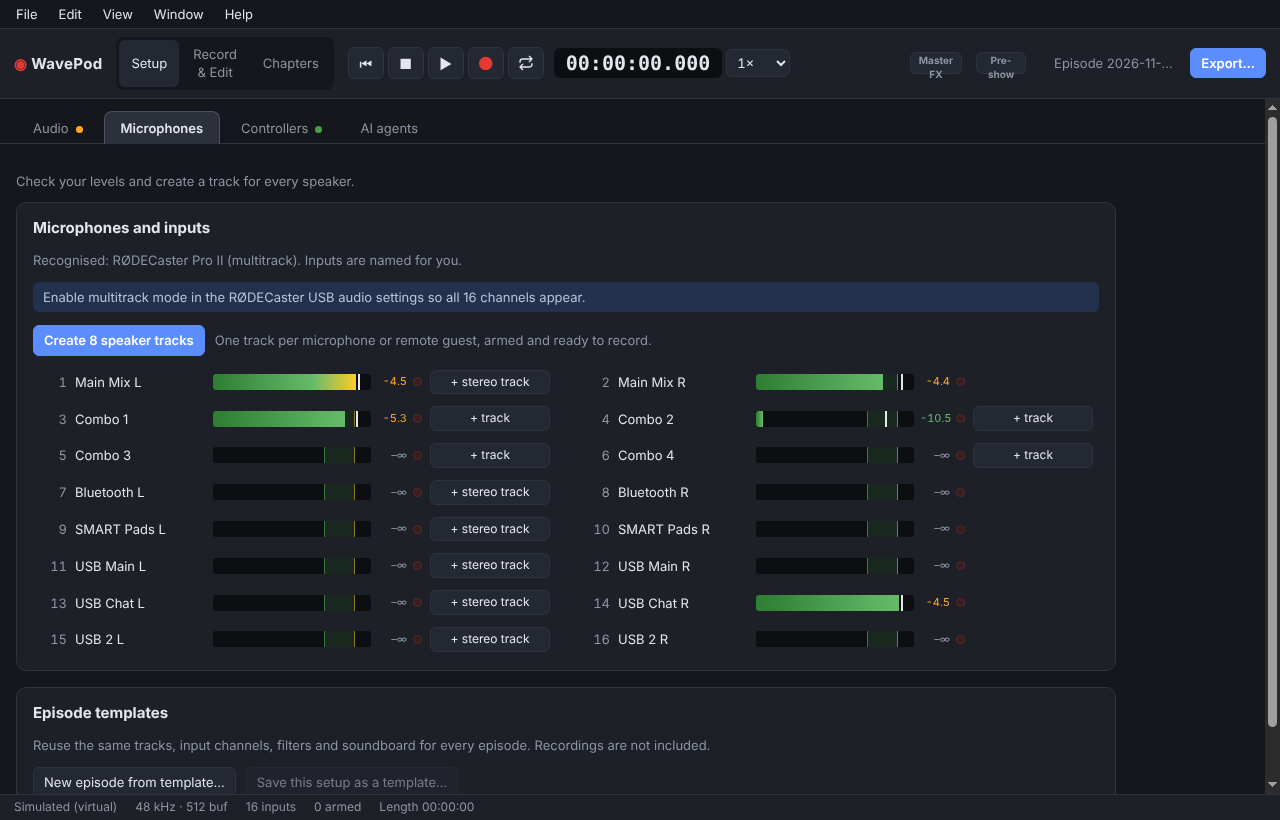
Every microphone on its own track
Records all 16 multitrack channels of a RØDECaster Pro II, and works with
RØDECaster Duo, Zoom PodTrak, Focusrite and other class-compliant interfaces.
Known devices are recognised and their inputs named for you, so
Create 8 speaker tracks is one click.
Recording you can trust
Crash-safe WAV, one file per track, written on its own thread. If the
computer goes down mid-show, the take is recovered when you reopen it.
Auphonic-style audio enhancement, built in
The kind of clean-up podcast processing services do, right on your
own machine: an adaptive leveler evens out loud and quiet speakers,
noise reduction takes out fans and hum without a "learn noise" step,
and the export lands on −16 LUFS without clipping. One click on
Voice chain sets up high-pass, de-esser and leveler for a
speaker. And when you want the real thing, Send to Auphonic
uploads every track with its chapters and cover as a multitrack
production.
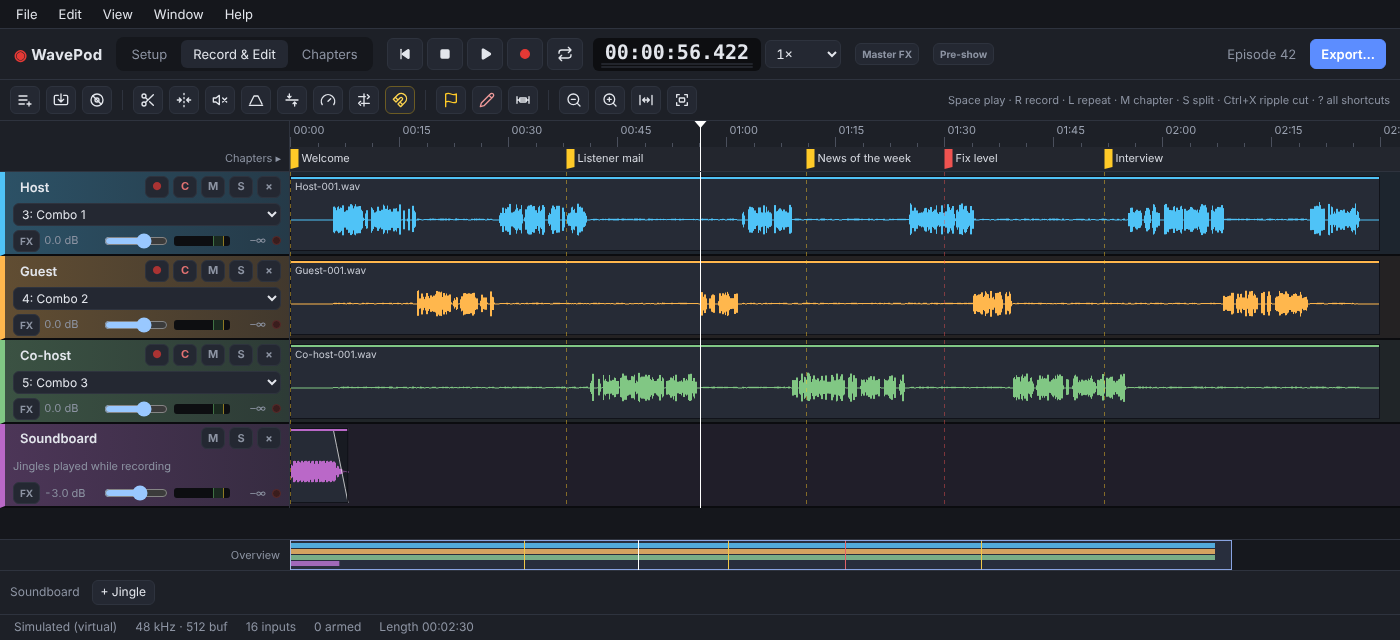
Editing for podcasters
Split, trim, fade, ripple cut across all tracks, crossfades, volume lines,
cough buttons and tape-style scrubbing.
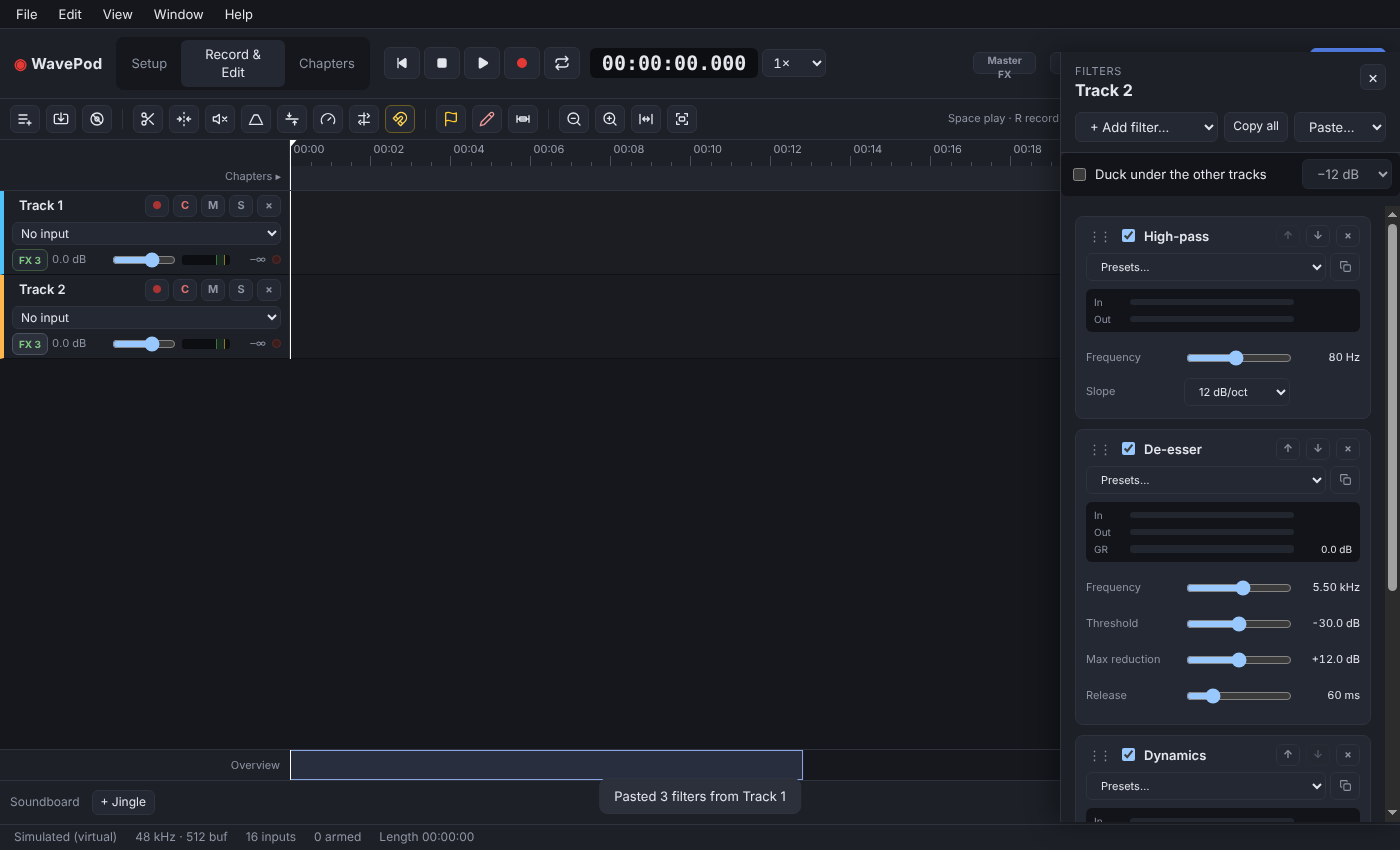
Filters that sound like radio
EQ, gate, compressor, de-esser, limiter, noise reduction and Dynamics,
with speech presets. Your VST3 plug-ins run in the same stack, safely in
their own process.
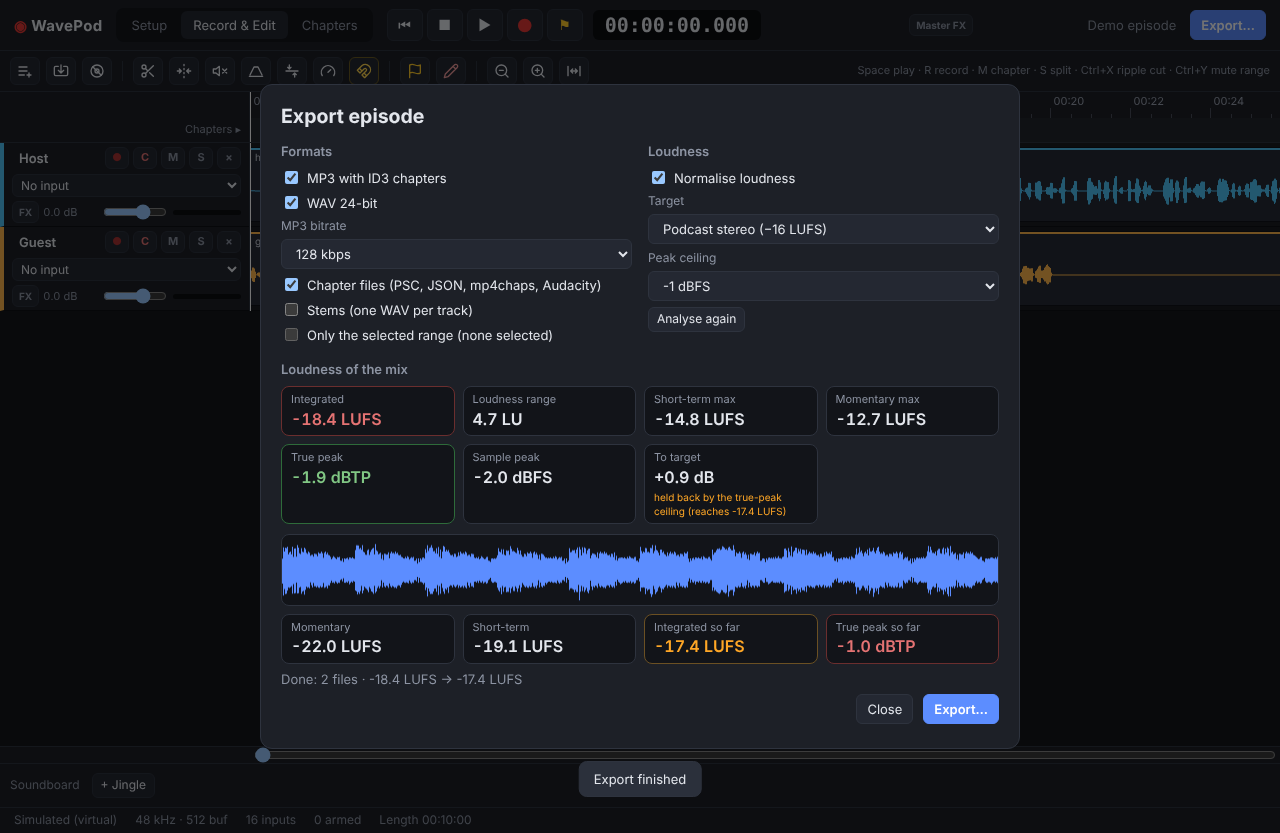
Loudness, handled
EBU R128 analysis and normalisation to −16 LUFS or your own target,
without the true peak going over.
MP3 + ID3 chaptersWAVOpusFLAC
StemsPodlove PSCPodcasting 2.0 JSON
mp4chapsAudacity labelsAuphonic
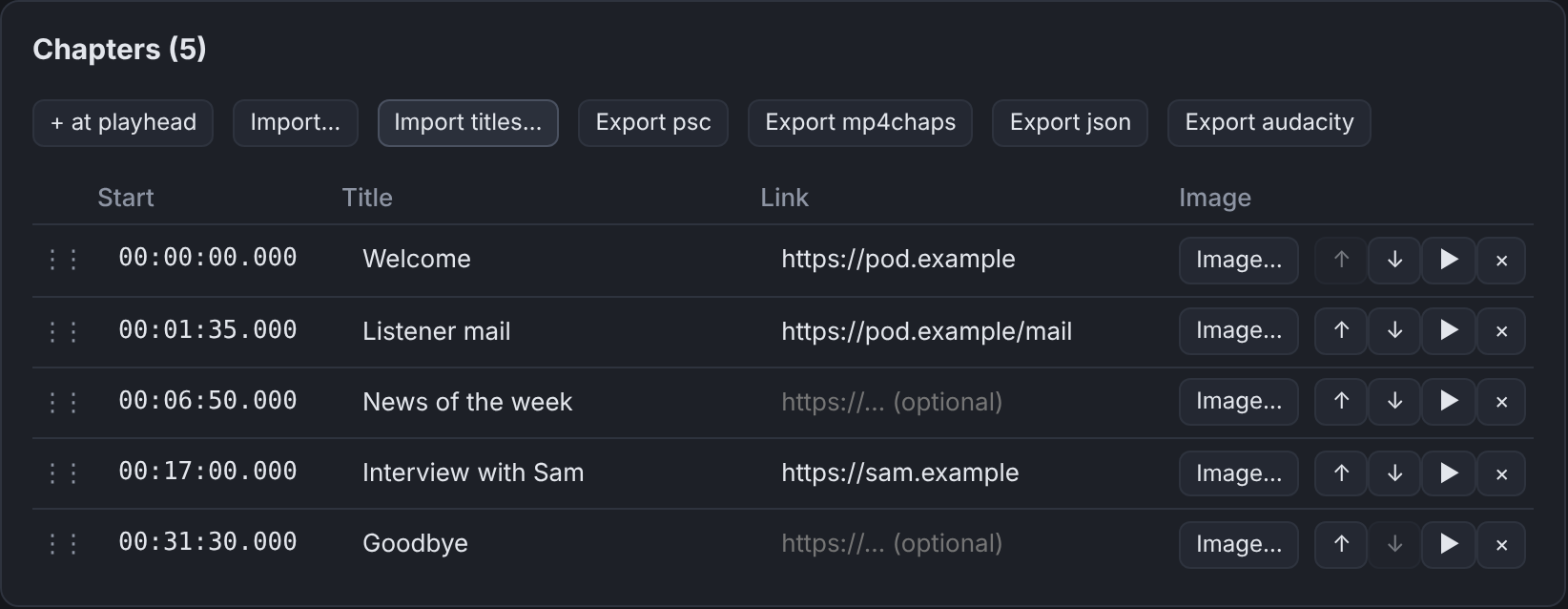
Chapters in, show notes out
Set chapter markers while recording with M, add titles, links
and images later, and export everything your podcast host wants in one go.
Soundboard & controllers
Jingles on keys 1–9, MIDI pads on your RØDECaster,
and OSC remotes for the whole transport.
you ›
claude › Added High-pass 90 Hz and EQ −3 dB @ 250 Hz on Guest.
AI agents, if you want them
An opt-in local MCP server lets Claude and other AI agents build filter
stacks, apply a voice chain and read tracks, markers and loudness. Off by
default, and it only listens on your own machine.
 WavePod